Manage changing risk. Track every deployment.
A finding is not a row in a report. Farion keeps the assessment, the discussion, and the remediation work on one card, and follows the fix past the merge into the environments that actually run your code.
Manage the work with the evidence attached.
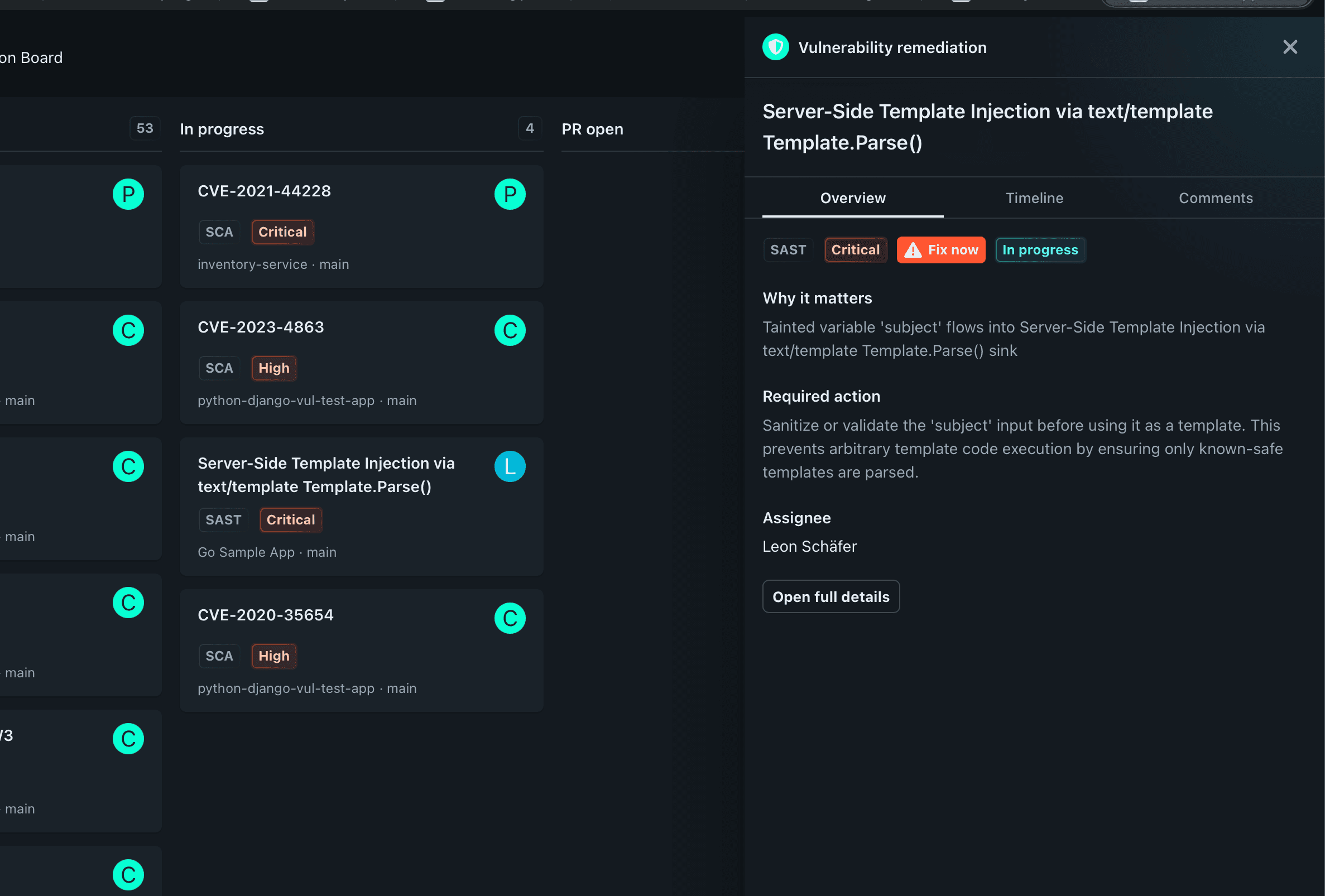
Use the board to organize findings, set priorities, and assign responsibility. Open a finding card to review its current assessment, discussion, remediation progress, and event history without losing the context behind a decision.
Manage findings on the board
Assign owners, set priorities, and move findings through the remediation workflow. Keep the next action visible to security and engineering.
Track changes to the risk
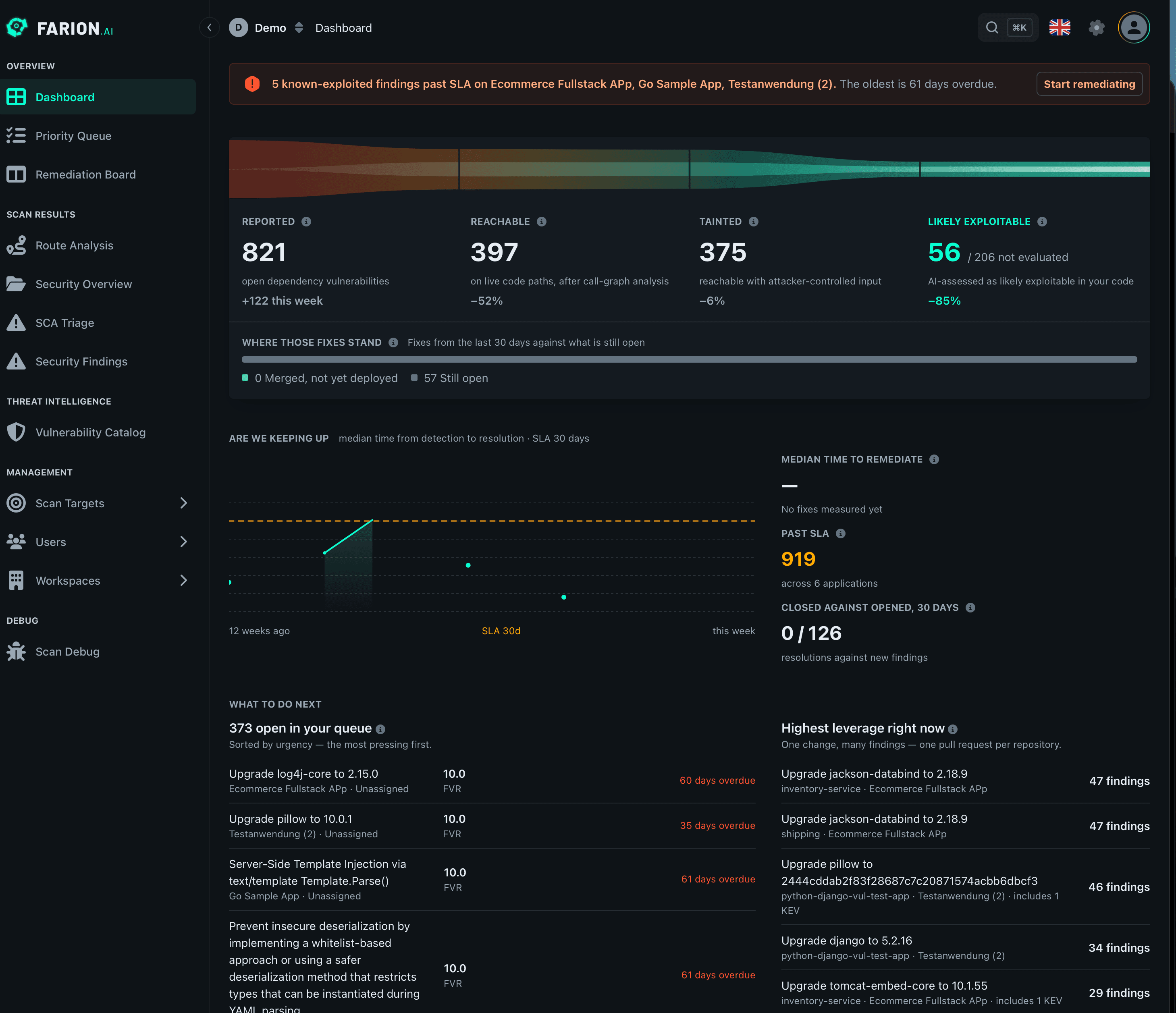
Follow changes to vulnerability information, exploitability assessments, and reachability. See when the evidence changes and revisit the decision with that history in view.
Review every event in the card
Keep assessment changes, comments, assignments, status updates, and fix activity with the finding. The card shows what changed and how the work progressed.
Track deployment by environment
Declare the environments your application runs — development, staging, production, or your own structure. Each one shows the commit it is running and what the scan of that commit proved about this finding.
See what changed, and when.
A finding changes as your code, the vulnerability intelligence, and the remediation work change. Its history records each of those events in the order they happened — new intelligence, a published exploit, an owner, a comment, a generated fix, a merge, a deployment — and keeps them on the finding card.
A merged fix is not the end of the story.
Merging a pull request changes your repository, not the systems your users reach. Farion closes that gap by treating a deployment as a fact your pipeline reports and the scanner has already proved.
Your pipeline reports the deploy
One call when an environment starts running a commit: the service, the environment, and the commit hash. No agent in your cluster and no polling.
No scan, no clearance
Farion refuses a deployment report for a commit it never analyzed. A fix counts as shipped only when there is a completed scan of the exact commit behind it.
Cleared or still exposed, per environment
Each finding records what the deployment meant: this environment now runs code the scan proved the finding gone from, or it still runs the vulnerable code.
Frequently asked questions
Use the board to prioritize findings, assign responsibility, and track progress. Open the finding card for the evidence and event history behind the current state.
Yes. Declare the environments your application runs, then have your pipeline report the service, the environment, and the commit whenever one starts running new code. Farion records which commit each environment is on, and what the scan of that commit means for every finding.
The deployment report is refused. Farion will not mark an environment clear on a commit it has no scan for, because clearance is a claim about analyzed code. Scan the commit in your pipeline before you deploy it.
Follow a finding from the board to production.
Walk through assessment changes, remediation events, and deployment tracking with our team.